Account
Translate
Research
-
Search in the website
Last subscribed

Statistics
- Counter
Number of visits
Today : 1
At total : 3421
- Live counter
1 visitors
Documentation - Bullish Mode - How it operates
Technical Overview: Bullish Trading Mode
The Bullish Mode is the safest, most conservative trading strategy available in the system. When enabled, the AI operates with disciplined patience, executing a low volume of trades to capture steady, lower-risk growth.
Core Execution Logic & Price Limits
In Bullish Mode, standard automated selling signals are bypassed. Instead, all sell orders are strictly governed by the Price Limit Engine and its integrated sub-features:
-
Base Price & Target Range Setup: You define a Base Price (your safety floor) and an Expected Target Range (your target profit ceiling) for the day's price action.
-
Stop-Loss Execution (Below Base Price): If market prices fall below the Base Price, the bot immediately sells holdings to protect capital and automatically transitions into Detect Lowest Mode.
-
Profit-Taking Execution (Above Target Ceiling): When the price rises above the Base Price plus the Expected Target Range, the bot locks in gains by selling and triggers Detect Lowest Mode to wait out any potential pullbacks.
Detect Lowest Mode & Safety Features
When triggered after a buy or sell event, Detect Lowest Mode acts as a safety pause:
-
Bottom Detection: The script delays new buy orders until it confirms the asset has reached a local bottom, preventing the bot from "catching falling knives."
-
Custom Delay Timers: The detection delay duration can be customized within the settings panel.
-
Rapid-Breakout Bypass: If the AI detects a sudden, rapid price surge while in Detect Lowest Mode, it can automatically override the wait period to re-enter positions and capture upward momentum.
-
High/Low Lock Sell Controls: Includes dedicated sub-features such as Time Sell (auto-exiting positions after a set duration) and hard Lock Sell All boundaries for absolute low and high portfolio limits.
|
|
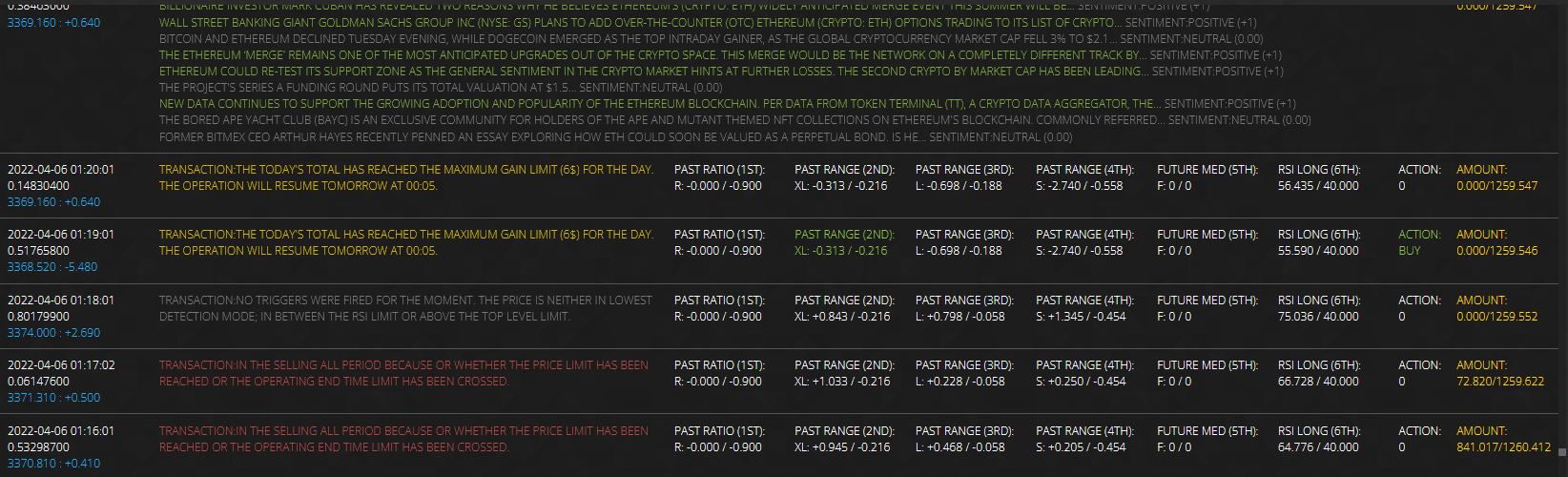
Bullish Mode Advanced Indicators & Buy/Sell Logic
While Bullish Mode relies primarily on the Price Limit Engine to manage exits, it leverages specialized micro-indicators to protect capital and maximize buy volume during upward market trends.
Risk Management & Smart Exit Features
-
Short-Term RSI Panic Sell: Calculated over a brief time window, short-term RSI activates only once the price hits your pre-set Base Price. If momentum rapidly drops during a crash, this triggers an immediate sale to limit downside risk.
-
Time-Based Exit (Time Sell): Prevents the AI from holding funds indefinitely during stagnant periods. If the price remains above the minimum sell threshold without setting a new high for a specified time $X$, the bot exits the position to secure accrued gains rather than gambling on a higher peak.
Dynamic Buy Scaling & Position Sizing
In Bullish Mode, all ratio and multiplier features are configured exclusively to increase buy volumes during uptrends, while standard indicator-based selling is disabled:
-
Positive Balance Ratio: When market metrics yield a positive price ratio alongside a buy signal, the bot automatically scales up the purchase allocation.
-
Moving Average Multipliers: Detecting a sustained upward trend via long-term moving averages adds a percentage boost to your order size to capture strong momentum.
-
Top-Level Range Floor: Ensures the bot only opens new buy orders near local daily lows, calculating a price ceiling based on daily high-low variance:
Example: If an asset trades within a $100 range for the day (e.g., $1,000 Low to $1,100 High), a 25% Top-Level Limit restricts buys strictly below $1,025 (Daily Low + 25% of the range), ensuring positions are taken before the price surges.
Optimal Market Conditions
Except for the Crypto News API and Price Limit Engine, standard indicator sell triggers are completely disabled in Bullish Mode. This strategy performs best during sustained upward trends (bull runs) with high daily volatility and wider trading ranges.
|
|

Source : tradingapi
Price: $ 00.00 CAD to access tradingapi extensions, forum support, chatbox support and update support
How it operates
The 2022-07-07 at 12:52:30Author: tradingapi 
Rank: Administrator
Views total: 294
Comments total: 0
Likes: 0
Dislikes: 0
Votes: Autorized
Comments: Autorized
Article source: tradingapi
Votes
Comments:
The news
The news section containing all the latest post from each section.
References
Title: Credits Policies
Category: Credits
Votes status: Authorized
Comments status: Authorized
Views total: 348
Comments total: 0
Votes results: 0 0
Article author: tradingapi
Author rank: Administrator
Article date: 2022-07-13
Article time: 11:13:44
Article source: tradingapi
Modified the 2026-08-03 at 15:19:23
Forum
Title: Content Revision - Job offer
Category: Contribute
Votes status: Authorized
Comments status: Authorized
Views total: 642
Comments total: 0
Votes results: 0 0
Article author: tradingapi
Author rank: Administrator
Article date: 2022-07-15
Article time: 08:11:36
Article source: tradingapi
Modified the 2026-08-03 at 15:20:22
Help
Title: General Usage A.I.
Category: Usage
Votes status: Authorized
Comments status: Authorized
Views total: 358
Comments total: 0
Votes results: 0 0
Article author: tradingapi
Author rank: Administrator
Article date: 2022-06-29
Article time: 11:56:14
Article source: tradingapi
Modified the 2026-08-03 at 15:26:25
Download
Title: Dependencies for the A.I.
Category: Dependencies
Votes status: Authorized
Comments status: Authorized
Views total: 358
Comments total: 0
Votes results: 0 0
Article author: tradingapi
Author rank: Administrator
Article date: 2022-07-07
Article time: 02:35:21
Article source: tradingapi
Modified the 2026-08-03 at 15:30:01
Documentation
Title: How it operates
Category: Experimental Mode
Votes status: Authorized
Comments status: Authorized
Views total: 347
Comments total: 0
Votes results: 0 0
Article author: tradingapi
Author rank: Administrator
Article date: 2022-07-07
Article time: 01:27:09
Article source: tradingapi
Modified the 2026-08-03 at 17:10:25